> ## Documentation Index
> Fetch the complete documentation index at: https://agent-docs.nineteen58.co.za/llms.txt
> Use this file to discover all available pages before exploring further.
# Monitoring
Monitor your agents' performance and track conversations in real-time with three different monitoring levels: Live Monitor, Analytics Dashboard, and Agent Logs.
## Live Monitor
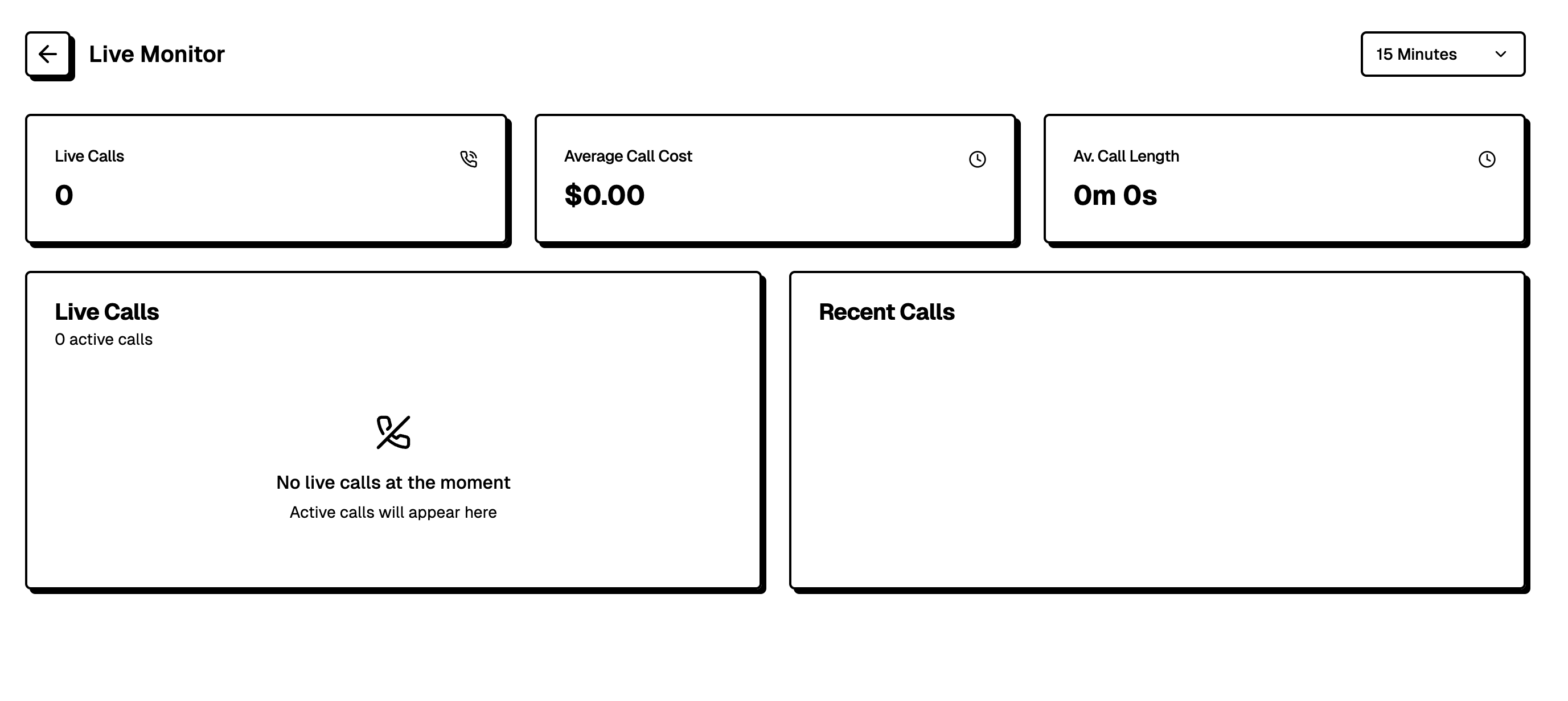 The Live Monitor provides real-time insights into ongoing conversations. This view allows you to:
* Track the number of active calls in progress
* Monitor average call costs
* View average call duration
* Observe live calls as they happen
* See a list of recent calls
When there are no active calls, the system displays "No live calls at the moment" and will update automatically when new calls begin.
## Analytics Dashboard
The Live Monitor provides real-time insights into ongoing conversations. This view allows you to:
* Track the number of active calls in progress
* Monitor average call costs
* View average call duration
* Observe live calls as they happen
* See a list of recent calls
When there are no active calls, the system displays "No live calls at the moment" and will update automatically when new calls begin.
## Analytics Dashboard
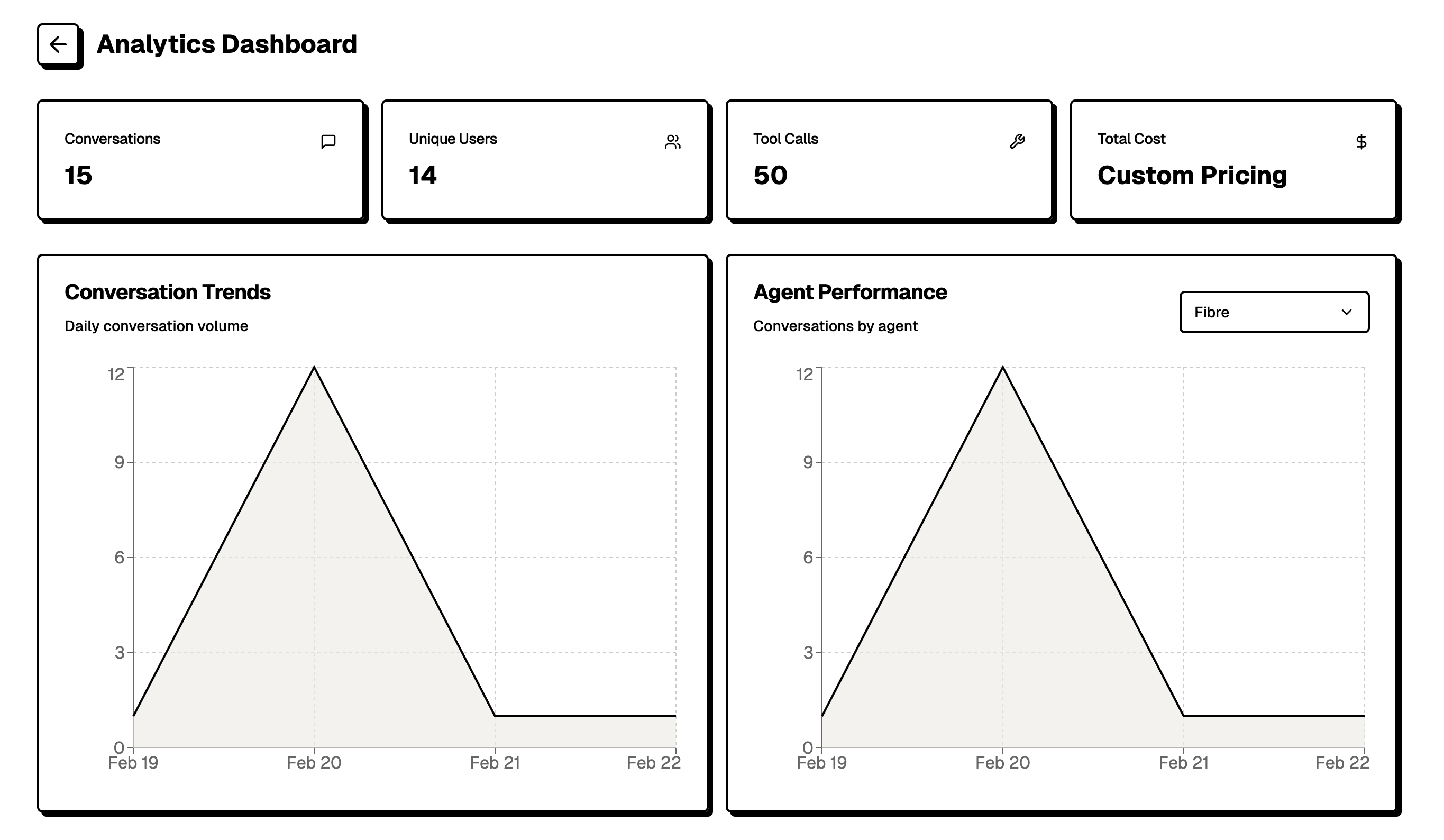 The Analytics Dashboard offers aggregated metrics to help you understand overall performance:
### Key Metrics
* Total Conversations
* Unique Users
* Tool Calls
* Total Cost
### Detailed Analytics
* **Conversation Trends**: View daily conversation volume over time through an interactive graph
* **Agent Performance**: Track conversations by agent with detailed performance metrics
* Filter options allow you to analyze data for specific time periods (e.g., 15 Minutes, Daily, Monthly)
## Agent Logs
The Analytics Dashboard offers aggregated metrics to help you understand overall performance:
### Key Metrics
* Total Conversations
* Unique Users
* Tool Calls
* Total Cost
### Detailed Analytics
* **Conversation Trends**: View daily conversation volume over time through an interactive graph
* **Agent Performance**: Track conversations by agent with detailed performance metrics
* Filter options allow you to analyze data for specific time periods (e.g., 15 Minutes, Daily, Monthly)
## Agent Logs
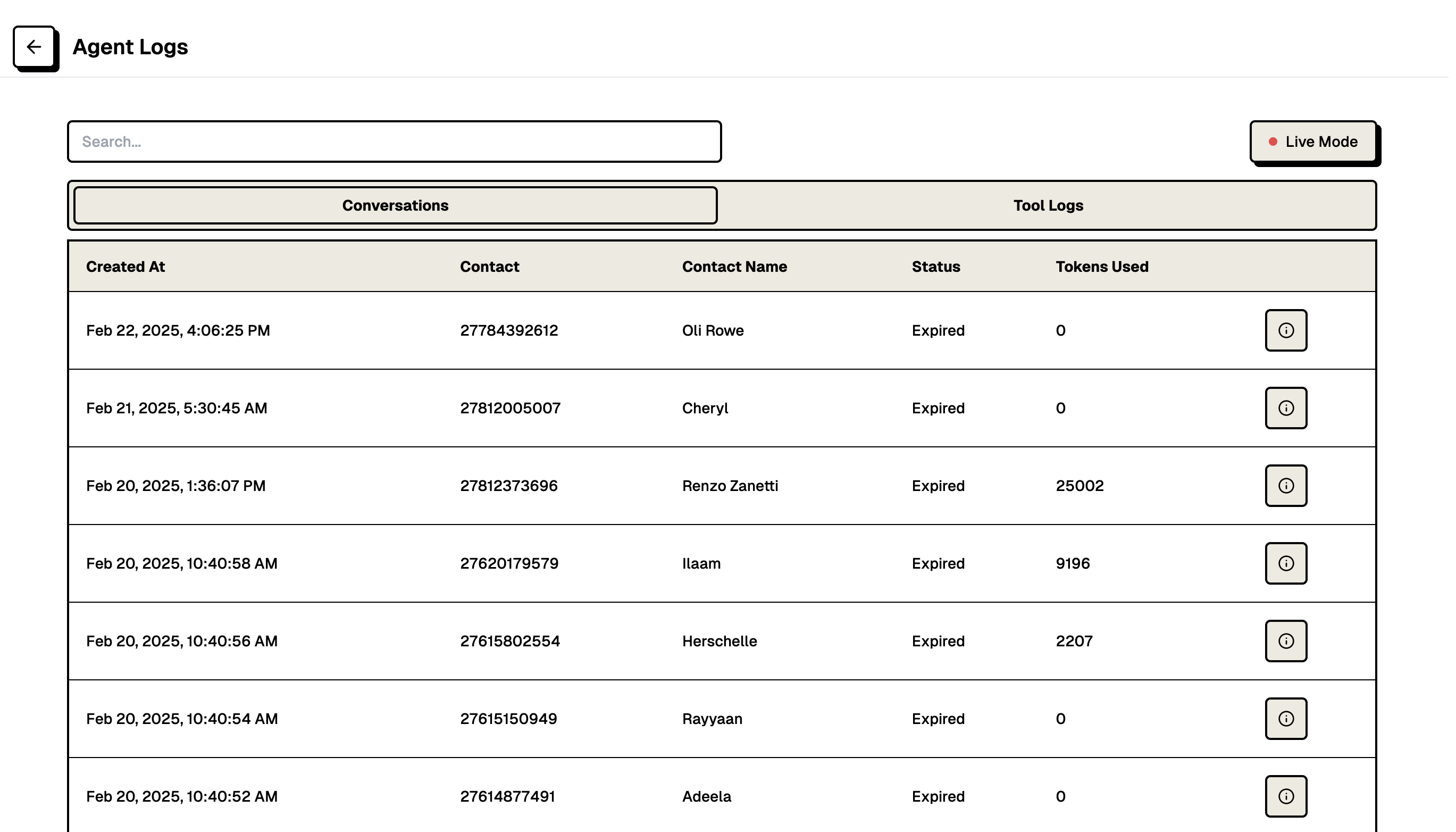 The Agent Logs provide detailed records of all agent activities:
### Conversation Logs
* Created timestamp
* Contact information
* Contact name
* Conversation status
* Token usage per conversation
### Tool Logs
* Timestamp of tool calls
* Endpoint accessed
* Response status codes
* Response times (with highlighting for slower responses)
* Detailed log access through info buttons
The logs interface includes:
* Search functionality for finding specific records
* Live Mode toggle for real-time updates
* Pagination for browsing through historical data
This comprehensive monitoring system enables you to maintain quality control, track performance metrics, and ensure optimal operation of your agents.
The Agent Logs provide detailed records of all agent activities:
### Conversation Logs
* Created timestamp
* Contact information
* Contact name
* Conversation status
* Token usage per conversation
### Tool Logs
* Timestamp of tool calls
* Endpoint accessed
* Response status codes
* Response times (with highlighting for slower responses)
* Detailed log access through info buttons
The logs interface includes:
* Search functionality for finding specific records
* Live Mode toggle for real-time updates
* Pagination for browsing through historical data
This comprehensive monitoring system enables you to maintain quality control, track performance metrics, and ensure optimal operation of your agents.